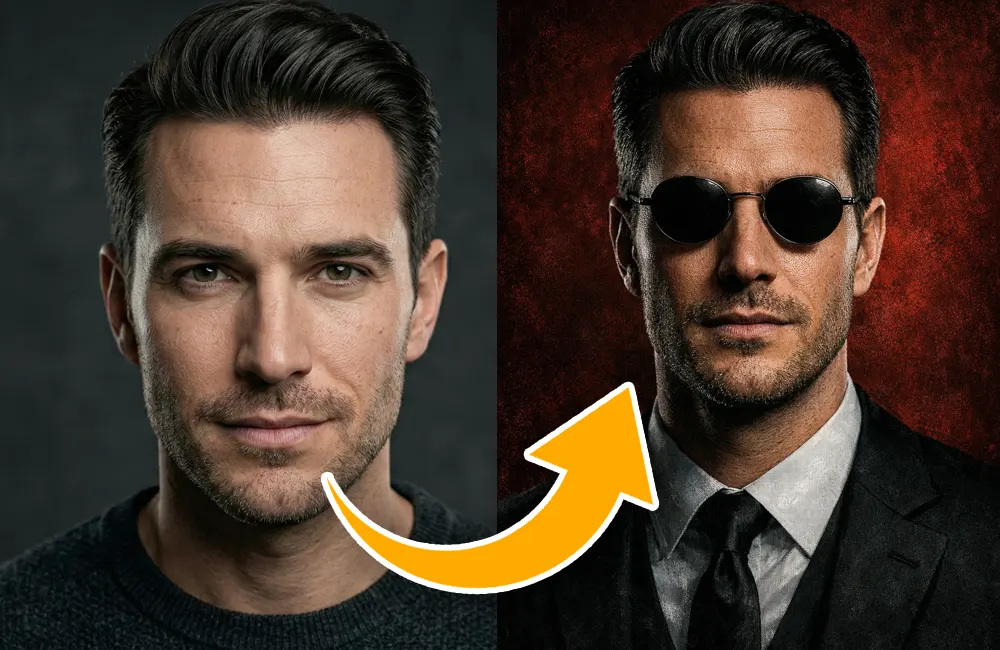
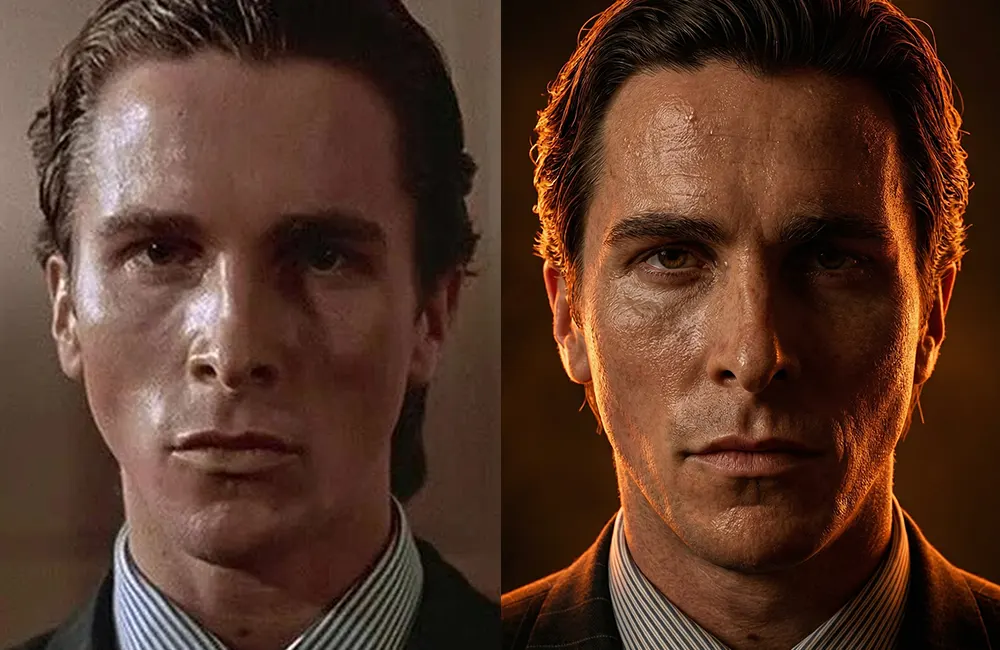
Low-resolution photos don’t have to stay blurry, flat, or unusable anymore.
With the right AI workflow—and a powerful cinematic prompt—you can now transform almost any ordinary image into a dramatic, high-resolution film-still-style portrait in minutes.
In this guide, you’ll learn:
How to upscale low-quality photos using Gemini
How to achieve a moody, cinematic lighting style
How to preserve facial accuracy and realism
The exact prompt that delivers professional-grade results
Why Low-Resolution Images Usually Fail
Most low-quality images suffer from:
Soft focus and blurred details
Flat lighting
Plastic-looking skin after enhancement
Distorted facial features
Loss of identity
Traditional upscaling tools often sharpen edges—but destroy realism.
That’s where AI cinematic prompting changes everything.
The Simple Gemini AI Workflow
Follow these steps:
Open Gemini.
Upload your original low-resolution image.
Paste the cinematic prompt below.
Click generate.
Download your photorealistic masterpiece.
That’s it.
No expensive software.
No complex editing.
No Photoshop layers.
The Cinematic Prompt (Copy & Paste Exactly)
Use the following prompt inside Gemini.
Do not modify it—this wording is optimized for photorealism, lighting, and identity preservation.
Transform the source image into a high-resolution, moody cinematic film still, while maintaining absolute fidelity to the 100% original subject’s facial features, pose, and gender. Keep the person’s pose exactly 100% the same as the real image. Perform a hyper-realistic upscale, bringing the subject into extremely sharp focus. Significantly enhance and sharpen skin texture to be incredibly detailed and lifelike, showing visible pores, fine lines, and realistic definition. Apply dramatic, low-key backlighting that casts intense warm orange and deep amber tones as the dominant light source, creating strong rim lighting and a heated glow.
What This Prompt Actually Does
This single paragraph instructs the AI to:
🎥 Cinematic Film Look
Creates a movie-still atmosphere with dramatic lighting and mood.
🔍 Ultra-Sharp Upscaling
Enhances clarity while keeping the subject realistic—not artificial.
🧬 Facial Accuracy
Locks the original:
Face
Gender
Pose
Identity
So the final result still looks like the same person.
🌅 Hollywood-Style Lighting
Adds:
Warm orange highlights
Amber backlight
Strong rim lighting
Glowing edges
Dark cinematic shadows
Perfect for luxury portraits, branding visuals, social media creatives, or concept art.
Who Can Use This Technique?
This method is ideal for:
Content creators
Brand designers
Photographers
Filmmakers
Social media marketers
AI artists
Personal branding projects
If you work with visuals, this prompt alone can elevate your output instantly.
Final Thoughts
Turning a low-resolution image into a cinematic masterpiece is no longer a studio-only process.
With Gemini and the right prompt, you can generate:
Film-grade portraits
Dramatic lighting
Hyper-realistic skin detail
High-resolution clarity
Premium visual aesthetics
All in just a few clicks.